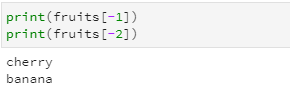
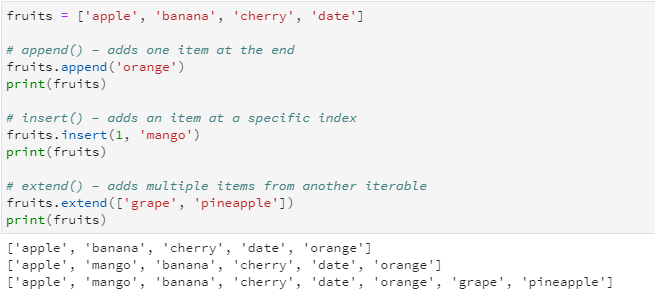
You can also use negative indexes to access elements from the end.
Negative indices in Python lists let you access elements starting from the end of the list instead of the beginning.
-1 is the last element
-2 is the second last element
-3 is the third last, and so on.
If you try to access an index that doesn’t exist (like fruits[5]), Python will give an IndexError.
Removing elements from a list
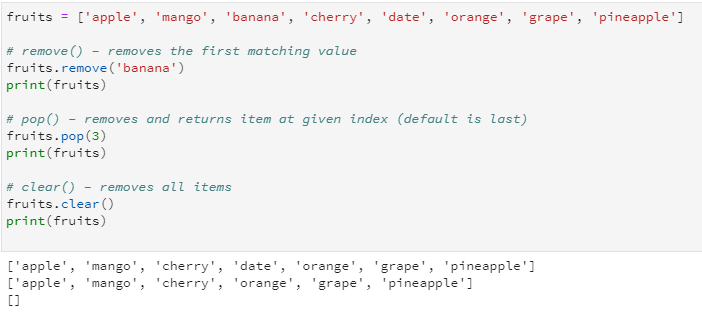
Python provides several ways to remove items from a list. Each method serves a different purpose:
1. remove(value) This method removes the first occurrence of the specified value. If the value is not present in the list, it raises an error.
2. pop(index) This method removes and returns the item at the given index. If no index is provided, it removes the last item in the list.
3. clear() This method removes all items from the list, leaving it empty.
Change or update list elements
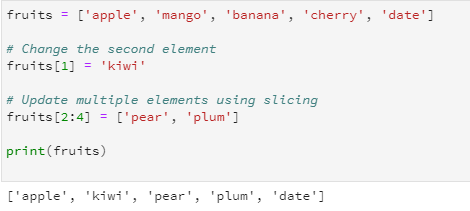
To update or change the value of an element in a Python list, you can assign a new value to a specific index. Lists are mutable, which means their contents can be changed after creation. You can also update multiple elements at once using slicing.
Concatenation of lists
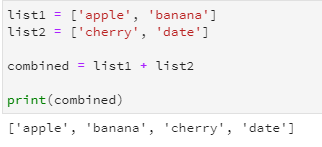
You can concatenate (combine) two or more lists in Python using the + operator. This creates a new list that contains all the elements from the original lists in the order they appear.
Concatenation does not change the original lists unless you assign the result to a variable.
Repeating Lists (Multiplying Lists) in Python
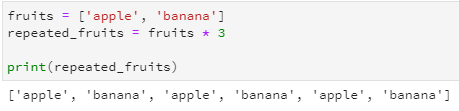
In Python, you can repeat a list multiple times by using the * operator. This creates a new list where the original list is repeated the specified number of times.
List Properties and Methods
Length of a list
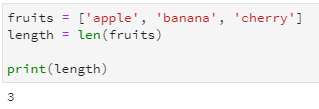
The len() function can be used to determine how many elements are present in a list. It returns an integer representing the total number of items in the list.
Iteration over a list
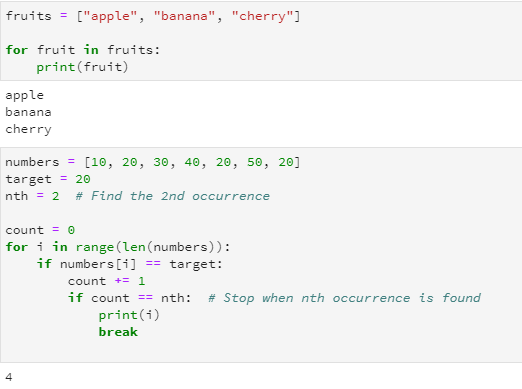
Iteration over a list means going through each element one by one using loops. The most common way to iterate over a list is with a for loop.
Note: The break statement statement only exits the nearest for or while loop where it is used.
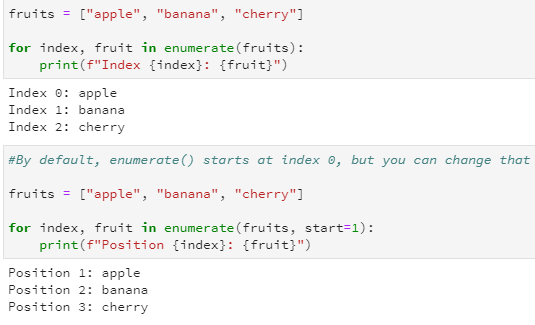
In Python, enumerate() is a built-in function that makes iteration more convenient by providing both the index and value of elements in a list (or any iterable). enumerate() is preferred over range(len(list)) because it’s more readable!
List comprehensions
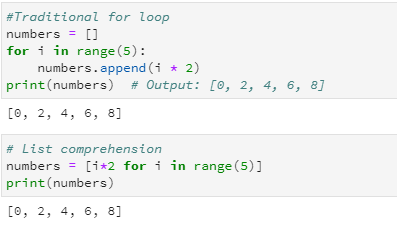
List comprehension is a concise way to create lists in Python using a single line of code. It’s more efficient and readable than traditional loops when generating new lists based on existing data.
Basic structure: new_list = [expression for item in iterable if condition]
if condition is optional
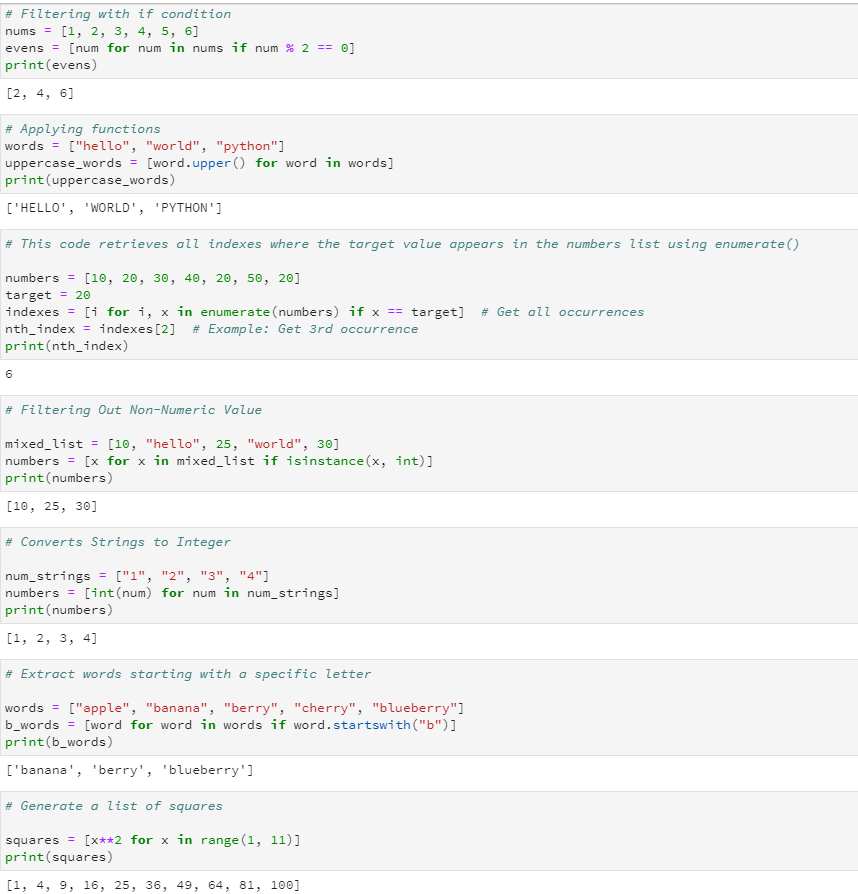
Few more examples of list comprehension