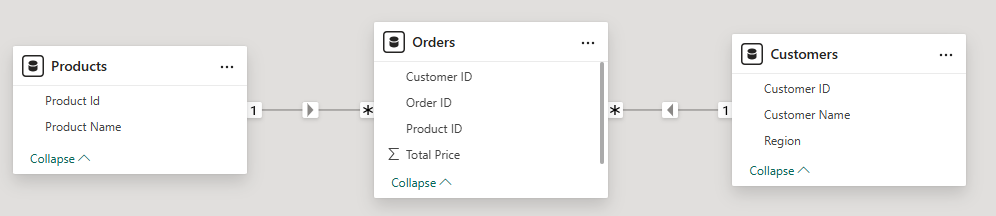
We have 1 to Many relationships between the
- Products and Orders table
- Customers and Orders
In both cases, the cross-filter direction is set to single. The arrow on each relationship line in the model view visually indicates the filter direction.
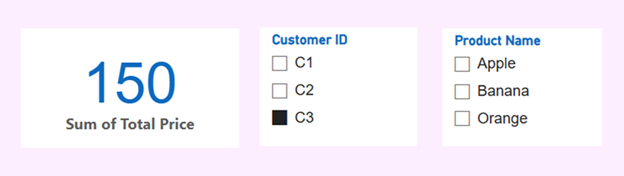
Customer C3 has only purchased product P3. However, the report still displays other products alongside it. When selecting Apple or Banana, the result shows a blank value, as shown below.
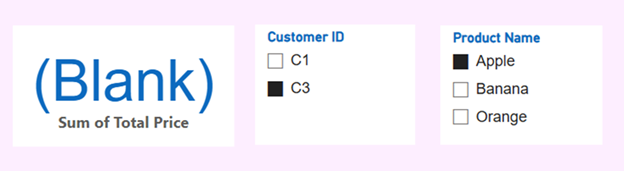
Ideally, we don’t want to display products that the selected customer hasn’t purchased. To achieve this, we can change the relationship between the Orders and Products tables by setting the cross-filter direction to Both. Once updated, the relationship arrow in the model view will indicate that filters can flow in both directions.
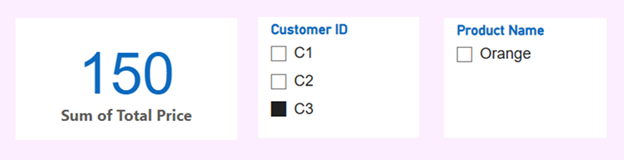
Once the changes are applied, the visual updates automatically and no longer displays products that the selected customer hasn’t purchased.